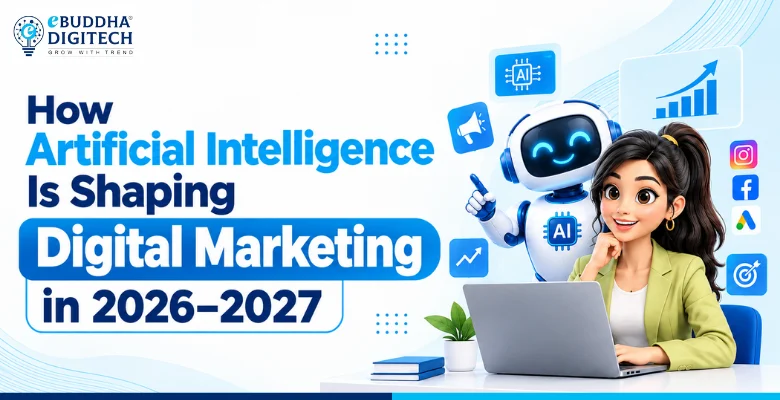
AI in digital marketing means using tools like ChatGPT, Gemini, Claude and Canva's AI features to research, create, run and measure marketing faster. It does not replace the marketer. It removes the slow, repetitive parts of the job so you can spend more time on strategy, ideas and talking to customers.
This guide is written for beginners, students and small business owners. You will learn what AI can and cannot do in marketing, 10 ways to use it this week, which tools to start with, and a simple four-week plan to build the habit.
What Does AI in Digital Marketing Mean?
AI in digital marketing is the use of software that can understand language, images and data to help with marketing work. The most common type today is generative AI: tools that write text, create images or videos, and summarise information when you give them a prompt.
A second type works quietly inside platforms you already use. Google Ads and Meta Ads use machine learning to decide who sees an ad and how much to bid. Gmail, YouTube and Instagram use it to decide what each person sees. As a marketer you work with both: the AI tools you prompt yourself, and the AI built into ad and social platforms.
Why Should Marketers Learn AI Now?
Because the work has already changed. Clients and employers now expect a first draft of a blog, an ad set or a report in hours, not days. Marketers who know how to brief an AI tool well, check its output and improve it can deliver more, and that shows up in interviews and client results.
- Speed: research, outlines and first drafts take minutes.
- Scale: one person can test many more ad and content variations.
- Skill gap: knowing AI tools is now a common line in marketing job descriptions.
- Lower cost for small businesses: a local shop can do work that once needed a full agency team.
10 Practical Ways to Use AI in Digital Marketing
Each of these can be tried with free or low-cost tools. Always check the output before you publish it.
1. Keyword and topic research
Ask an AI assistant to list the questions your customers ask about a product, then check real search demand in Google Keyword Planner, Google Trends or Semrush. AI is good at ideas; search tools tell you which ideas people actually search for.
2. Content briefs and first drafts
Give the tool your topic, audience, tone and the points you must cover, and ask for an outline first. Approve the outline, then ask for a draft section by section. Add your own examples, numbers and experience before publishing.
3. Ad copy variations
Paste your offer and ask for ten headlines and five descriptions within the character limits of Google Ads or Meta. Pick the strongest, then let the platform test them against each other.
4. Images and short videos
Canva, Ideogram, CapCut and InVideo AI can turn a script or a product photo into social posts, thumbnails and reels. Keep your brand colours, fonts and logo consistent so the content still looks like you.
5. SEO and website checks
Use AI to write meta titles and descriptions, suggest internal links, explain an error from Google Search Console or draft schema markup. Then test the result with Google's own tools, such as the Rich Results Test and PageSpeed Insights.
6. Email and WhatsApp campaigns
Draft welcome sequences, festival offers and follow-up messages, then personalise them by customer segment in tools like Mailchimp or a WhatsApp Business platform.
7. Chatbots and customer support
An AI chatbot on your website or WhatsApp can answer common questions about fees, timings and location at any hour, and pass serious enquiries to a person.
8. Smarter ad targeting and bidding
Google's Performance Max and Meta's Advantage+ campaigns use AI to find buyers across many placements. Your job is to give them good creative, a clear conversion goal and correct tracking, then read the results carefully.
9. Reports and analysis
Export campaign data and ask an AI assistant to summarise what changed, what worked and what to test next. Build the final dashboard in Looker Studio so the numbers stay traceable.
10. Competitor and market research
Tools like Perplexity cite their sources, which makes them useful for quick research on competitors, pricing and trends. Open the sources and confirm anything important before you use it.
Which AI Tools Should a Beginner Start With?
You do not need dozens of tools. Start with one from each row below and learn it properly.
| Task | Tools to start with | What to try first |
|---|---|---|
| Writing and research | ChatGPT, Claude, Gemini, Perplexity | An outline for one blog post |
| Design and video | Canva, CapCut, Ideogram | Three Instagram posts and one reel |
| SEO | Google Search Console, Semrush, Rank Math | Meta titles for your top five pages |
| Ads | Google Ads, Meta Ads Manager | Ten headline variations for one offer |
| Email and automation | Mailchimp, Zapier, n8n | A three-email welcome sequence |
| Reporting | Google Analytics, Looker Studio | A one-page monthly report |
What Are the Risks of Using AI in Marketing?
AI is useful, but it makes mistakes and it does not know your business. Watch for these:
- Wrong facts: AI tools can state false information confidently. Check every number, date and claim.
- Generic content: unedited AI text sounds like everyone else. Add your own experience, examples and opinions.
- Privacy: do not paste customer data, passwords or private business numbers into public AI tools.
- Copyright and brand safety: check that images and music can be used commercially.
- Over-reliance: you still need to understand marketing basics to judge whether the output is good.
Google's own guidance says it rewards helpful, original content however it is produced, and that using AI mainly to manipulate rankings breaks its spam policies. You can read it in Google Search Central's guidance on AI-generated content.
A Simple 4-Week Plan to Start Using AI
- Week 1: Research. Use an AI assistant to list 30 customer questions about one product, then check which ones have search demand.
- Week 2: Content. Turn the five best questions into a blog outline, three social posts and one short video script.
- Week 3: Ads and email. Write ad variations and a welcome email, and set up one small test campaign.
- Week 4: Measure. Summarise the results with AI, decide what to keep, and write down the prompts that worked best.
By the end of the month you will have a small library of prompts you trust, which is the real skill employers look for.
How Does eBuddha Digitech Teach AI in Marketing?
At eBuddha Digitech in Bhopal, AI is part of every module rather than a separate topic. Learners practise on 155+ digital marketing and AI tools, including ChatGPT, Claude, Gemini, Perplexity, Canva and the AI features inside Google Ads and Meta Ads, on 15+ projects and 35+ case studies.
You can join the 16-week classroom course in Bhopal, the 20-week live online course, or start with a free live masterclass. You can also try our free marketing tools today.
Learn this hands-on with eBuddha Digitech
Practise on live projects with mentors in our 16-week classroom course in Bhopal or our 20-week live online course.
Classroom course in BhopalLive online courseFree masterclass
Last updated: 9 November 2026
Frequently Asked Questions
It is using tools that understand text, images and data, such as ChatGPT, Gemini and Canva's AI features, to research, create, run and measure marketing work faster.
No. AI speeds up tasks like drafting and reporting, but someone still has to set the strategy, check facts, understand customers and take responsibility for results. Marketers who use AI well are replacing those who do not.
Not by itself. Google says it rewards helpful, original content however it is made. Content that is unedited, inaccurate or made only to manipulate rankings can hurt you.
Start with one general assistant such as ChatGPT, Claude or Gemini, plus Canva for design. Learn to write clear prompts and check the output before adding more tools.
For learning and small projects, yes. Most tools have free plans. Paid plans are worth it later for higher limits, team features and better image or video quality.
Yes. A small business can use AI to write posts, design creatives, answer common WhatsApp questions and summarise ad results, which used to need a bigger team.
No. Most marketing AI tools work through simple prompts and buttons. Coding helps only for advanced automation, and no-code tools like Zapier and n8n cover a lot of that.
eBuddha Digitech in MP Nagar, Bhopal teaches AI tools inside every module of its 16-week classroom digital marketing course, and also runs a 20-week live online course and free masterclasses.